Feed aggregator
Visualizing Target Relabeling Rules in Prometheus 3.8.0
Prometheus' target relabeling feature allows you to adjust the labels of a discovered target or even drop the target entirely. Relabeling rules, while powerful, can be hard to understand and debug. Your rules have to match the expected labels that your service discovery mechanism returns, and getting any step wrong could label your target incorrectly or accidentally drop it.
To help you figure out where things go wrong (or right), Prometheus 3.8.0 just added a relabeling visualizer to the Prometheus server's web UI that allows you to inspect how each relabeling rule is applied to a discovered target's labels. Let's take a look at how it works!
Using the relabeling visualizer
If you head to any Prometheus server's "Service discovery" page (for example: https://demo.promlabs.com/service-discovery), you will now see a new "show relabeling" button for each discovered target:

Clicking this button shows you how each relabeling rule is applied to that particular target in sequence:
The visualizer shows you:
- The initial labels of the target as discovered by the service discovery mechanism.
- The details of each relabeling rule, including its action type and other parameters.
- How the labels change after each relabeling rule is applied, with changes, additions, and deletions highlighted in color.
- Whether the target is ultimately kept or dropped after all relabeling rules have been applied.
- The final output labels of the target if it is kept.
To debug your relabeling rules, you can now read this diagram from top to bottom and find the exact step where the labels change in an unexpected way or where the target gets dropped. This should help you identify misconfigurations in your relabeling rules more easily.
Conclusion
The new relabeling visualizer in the Prometheus server's web UI is a powerful tool to help you understand and debug your target relabeling configurations. By providing a step-by-step view of how each relabeling rule affects a target's labels, it makes it easier to identify and fix issues in your setup. Update your Prometheus servers to 3.8.0 now to give it a try!
Banning VPNs
This is crazy. Lawmakers in several US states are contemplating banning VPNs, because…think of the children!
As of this writing, Wisconsin lawmakers are escalating their war on privacy by targeting VPNs in the name of “protecting children” in A.B. 105/S.B. 130. It’s an age verification bill that requires all websites distributing material that could conceivably be deemed “sexual content” to both implement an age verification system and also to block the access of users connected via VPN. The bill seeks to broadly expand the definition of materials that are “harmful to minors” beyond the type of speech that states can prohibit minors from accessing potentially encompassing things like depictions and discussions of human anatomy, sexuality, and reproduction...
Frequently asked questions about Red Hat Ansible Automation Platform 2.6
Confidential computing on AWS Nitro Enclave with Red Hat Enterprise Linux
Friday Squid Blogging: Flying Neon Squid Found on Israeli Beach
A meter-long flying neon squid (Ommastrephes bartramii) was found dead on an Israeli beach. The species is rare in the Mediterranean.
Prompt Injection Through Poetry
In a new paper, “Adversarial Poetry as a Universal Single-Turn Jailbreak Mechanism in Large Language Models,” researchers found that turning LLM prompts into poetry resulted in jailbreaking the models:
Abstract: We present evidence that adversarial poetry functions as a universal single-turn jailbreak technique for Large Language Models (LLMs). Across 25 frontier proprietary and open-weight models, curated poetic prompts yielded high attack-success rates (ASR), with some providers exceeding 90%. Mapping prompts to MLCommons and EU CoP risk taxonomies shows that poetic attacks transfer across CBRN, manipulation, cyber-offence, and loss-of-control domains. Converting 1,200 ML-Commons harmful prompts into verse via a standardized meta-prompt produced ASRs up to 18 times higher than their prose baselines. Outputs are evaluated using an ensemble of 3 open-weight LLM judges, whose binary safety assessments were validated on a stratified human-labeled subset. Poetic framing achieved an average jailbreak success rate of 62% for hand-crafted poems and approximately 43% for meta-prompt conversions (compared to non-poetic baselines), substantially outperforming non-poetic baselines and revealing a systematic vulnerability across model families and safety training approaches. These findings demonstrate that stylistic variation alone can circumvent contemporary safety mechanisms, suggesting fundamental limitations in current alignment methods and evaluation protocols...
Announcing Kyverno release 1.16
Kyverno 1.16 delivers major advancements in policy as code for Kubernetes, centered on a new generation of CEL-based policies now available in beta with a clear path to GA. This release introduces partial support for namespaced CEL policies to confine enforcement and minimize RBAC, aligning with least-privilege best practices. Observability is significantly enhanced with full metrics for CEL policies and native event generation, enabling precise visibility and faster troubleshooting. Security and governance get sharper controls through fine-grained policy exceptions tailored for CEL policies, and validation use cases broaden with the integration of an HTTP authorizer into ValidatingPolicy. Finally, we’re debuting the Kyverno SDK, laying the foundation for ecosystem integrations and custom tooling.
CEL policy types
CEL policies in beta
CEL policy types are introduced as v1beta. The promotion plan provides a clear, non‑breaking path: v1 will be made available in 1.17 with GA targeted for 1.18. This release includes the cluster‑scoped family (Validating, Mutating, Generating, Deleting, ImageValidating) at v1beta1 and adds namespaced variants for validation, deleting, and image validation; namespaced Generating and Mutating will follow in 1.17. PolicyException and GlobalContextEntry will advance in step to keep versions aligned; see the promotion roadmap in this tracking issue.
Namespaced policies
Kyverno 1.16 introduces namespaced CEL policy types— NamespacedValidatingPolicy, NamespacedDeletingPolicy, and NamespacedImageValidatingPolicy—which mirror their cluster-scoped counterparts but apply only within the policy’s namespace. This lets teams enforce guardrails with least-privilege RBAC and without central changes, improving multi-tenancy and safety during rollout. Choose namespaced types for team-owned namespaces and cluster-scoped types for global controls.
Observability upgrades
CEL policies now have comprehensive, native observability for faster diagnosis:
- Validating policy execution latency Metrics: kyverno_validating_policy_execution_duration_seconds_count, …_sum, …_bucket
- What it measures: Time spent evaluating validating policies per admission/background execution as a Prometheus histogram.
- Key labels: policy_name, policy_background_mode, policy_validation_mode (enforce/audit), resource_kind, resource_namespace, resource_request_operation (create/update/delete), execution_cause (admission_request/background_scan), result (PASS/FAIL).
- Mutating policy execution latency: kyverno_mutating_policy_execution_duration_seconds_count, …_sum, …_bucket
- What it measures: Time spent executing mutating policies (admission/background) as a Prometheus histogram.
- Key labels: policy_name, policy_background_mode, resource_kind, resource_namespace, resource_request_operation, execution_cause, result.
- Generating policy execution latency Metrics: kyverno_generating_policy_execution_duration_seconds_count, …_sum, …_bucket
- What it measures: Time spent executing generating policies when evaluating requests or during background scans.
- Key labels: policy_name, policy_background_mode, resource_kind, resource_namespace, resource_request_operation, execution_cause, result.
- Image-validating policy execution latency Metrics: kyverno_image_validating_policy_execution_duration_seconds_count, …_sum, …_bucket
- What it measures: Time spent evaluating image-related validating policies (e.g., image verification) as a Prometheus histogram.
- Key labels: policy_name, policy_background_mode, resource_kind, resource_namespace, resource_request_operation, execution_cause, result.
CEL policies now emit Kubernetes Events for passes, violations, errors, and compile/load issues with rich context (policy/rule, resource, user, mode). This provides instant, kubectl-visible feedback and easier correlation with admission decisions and metrics during rollout and troubleshooting.
Fine-grained policy exceptions
Image-based exceptions
This exception allows Pods in ci using images, via images attribute, that match the provided patterns while keeping the no-latest rule enforced for all other images. It narrows the bypass to specific namespaces and teams for auditability.
apiVersion: policies.kyverno.io/v1beta1
kind: PolicyException
metadata:
name: allow-ci-latest-images
namespace: ci
spec:
policyRefs:
- name: restrict-image-tag
kind: ValidatingPolicy
images:
- "ghcr.io/kyverno/*:latest"
matchConditions:
- expression: "has(object.metadata.labels.team) && object.metadata.labels.team == 'platform'"
The following ValidatingPolicy references exceptions.allowedImages which skips validation checks for white-listed image(s):
apiVersion: policies.kyverno.io/v1beta1
kind: ValidatingPolicy
metadata:
name: restrict-image-tag
spec:
rules:
- name: broker-config
matchConstraints:
resourceRules:
- apiGroups: [apps]
apiVersions: [v1]
operations: [CREATE, UPDATE]
resources: [pods]
validations:
- message: "Containers must not allow privilege escalation unless they are in the allowed images list."
expression: >
object.spec.containers.all(container,
string(container.image) in exceptions.allowedImages ||
(
has(container.securityContext) &&
has(container.securityContext.allowPrivilegeEscalation) &&
container.securityContext.allowPrivilegeEscalation == false
)
)
Value-based exceptions
This exception allows a list of values via allowedValues used by a CEL validation for a constrained set of targets so teams can proceed without weakening the entire policy.
apiVersion: policies.kyverno.io/v1beta1
kind: PolicyException
metadata:
name: allow-debug-annotation
namespace: dev
spec:
policyRefs:
- name: check-security-context
kind: ValidatingPolicy
allowedValues:
- "debug-mode-temporary"
matchConditions:
- expression: "object.metadata.name.startsWith('experiments-')"
Here’s the policy leverages above allowed values. It denies resources unless the annotation value is present in exceptions.allowedValues.
apiVersion: policies.kyverno.io/v1beta1
kind: ValidatingPolicy
metadata:
name: check-security-context
spec:
matchConstraints:
resourceRules:
- apiGroups: [apps]
apiVersions: [v1]
operations: [CREATE, UPDATE]
resources: [deployments]
variables:
- name: allowedCapabilities
expression: "['AUDIT_WRITE','CHOWN','DAC_OVERRIDE','FOWNER','FSETID','KILL','MKNOD','NET_BIND_SERVICE','SETFCAP','SETGID','SETPCAP','SETUID','SYS_CHROOT']"
validations:
- expression: >-
object.spec.containers.all(container,
container.?securityContext.?capabilities.?add.orValue([]).all(capability,
capability in exceptions.allowedValues ||
capability in variables.allowedCapabilities))
message: >-
Any capabilities added beyond the allowed list (AUDIT_WRITE, CHOWN, DAC_OVERRIDE, FOWNER,
FSETID, KILL, MKNOD, NET_BIND_SERVICE, SETFCAP, SETGID, SETPCAP, SETUID, SYS_CHROOT)
are disallowed.
Configurable reporting status
This exception sets reportResult: pass, so when it matches, Policy Reports show “pass” rather than the default “skip”, improving dashboards and SLO signals during planned waivers.
apiVersion: policies.kyverno.io/v1beta1
kind: PolicyException
metadata:
name: exclude-skipped-deployment-2
labels:
polex.kyverno.io/priority: "0.2"
spec:
policyRefs:
- name: "with-multiple-exceptions"
kind: ValidatingPolicy
matchConditions:
- name: "check-name"
expression: "object.metadata.name == 'skipped-deployment'"
reportResult: pass
Kyverno Authz Server
Beyond enriching admission-time validation, Kyverno now extends policy decisions to your service edge. The Kyverno Authz Server applies Kyverno policies to authorize requests for Envoy (via the External Authorization filter) and for plain HTTP services as a standalone HTTP authorization server, returning allow/deny decisions based on the same policy engine you use in Kubernetes. This unifies policy enforcement across admission, gateways, and services, enabling consistent guardrails and faster adoption without duplicating logic. See the project page for details: kyverno/kyverno-authz.
Introducing the Kyverno SDK
Alongside embedding CEL policy evaluation in controllers, CLIs, and CI, there’s now a companion SDK for service-edge authorization. The SDK lets you load Kyverno policies, compile them, and evaluate incoming requests to produce allow/deny decisions with structured results—powering Envoy External Authorization and plain HTTP services without duplicating policy logic. It’s designed for gateways, sidecars, and app middleware with simple Go APIs, optional metrics/hooks, and a path to unify admission-time and runtime enforcement. Note that kyverno-authz is still in active development; start with non-critical paths and add strict timeouts as you evaluate. See the SDK package for details: kyverno SDK.
Other features and enhancements
Label-based reporting configuration
Kyverno now supports label-based report suppression. Add the label reports.kyverno.io/disabled (any value, e.g., “true”) to any policy— ClusterPolicy, CEL policy types, ValidatingAdmissionPolicy, or MutatingAdmissionPolicy—to prevent all reporting (both ephemeral and PolicyReports) for that policy. This lets teams silence noisy or staging policies without changing enforcement; remove the label to resume reporting.
Use Kyverno CEL libraries in policy matchConditions
Kyverno 1.16 enables Kyverno CEL libraries in policy matchConditions, not just in rule bodies, so you can target when rules run using richer, context-aware checks. These expressions are evaluated by Kyverno but are not used to build admission webhook matchConditions—webhook routing remains unchanged.
Getting started and backward compatibility
Upgrading to Kyverno 1.16
To upgrade to Kyverno 1.16, you can use Helm:
helm repo update
helm upgrade --install kyverno kyverno/kyverno -n kyverno --version 3.6.0
Backward compatibility
Kyverno 1.16 remains fully backward compatible with existing ClusterPolicy resources. You can continue running current policies and adopt the new policy types incrementally; once CEL policy types reach GA, the legacy ClusterPolicy API will enter a formal deprecation process following our standard, non‑breaking schedule.
Roadmap
We’re building on 1.16 with a clear, low‑friction path forward. In 1.17, CEL policy types will be available as v1, migration tooling and docs will focus on making upgrades routine. We will continue to expand CEL libraries, samples, and performance optimizations. With SDK and kyverno‑authz maturation to unify admission‑time and runtime enforcement paths. See the release board for the in‑flight work and timelines: Release 1.17.0 Project Board.
Conclusion
Kyverno 1.16 marks a pivotal step toward a unified, CEL‑powered policy platform: you can adopt the new policy types in beta today, move enforcement closer to teams with namespaced policies, and gain sharper visibility with native Events and detailed latency metrics. Fine‑grained exceptions make rollouts safer without weakening guardrails, while label‑based report suppression and CEL in matchConditions reduce noise and let you target policy execution precisely.
Looking ahead, the path to v1 and GA is clear, and the ecosystem is expanding with the Kyverno Authz Server and SDK to bring the same policy engine to gateways and services. Upgrade when ready, start with audits where useful, and tell us what you build—your feedback will shape the final polish and the journey to GA.
Meet Rey, the Admin of ‘Scattered Lapsus$ Hunters’
A prolific cybercriminal group that calls itself “Scattered LAPSUS$ Hunters” has dominated headlines this year by regularly stealing data from and publicly mass extorting dozens of major corporations. But the tables seem to have turned somewhat for “Rey,” the moniker chosen by the technical operator and public face of the hacker group: Earlier this week, Rey confirmed his real life identity and agreed to an interview after KrebsOnSecurity tracked him down and contacted his father.
Scattered LAPSUS$ Hunters (SLSH) is thought to be an amalgamation of three hacking groups — Scattered Spider, LAPSUS$ and ShinyHunters. Members of these gangs hail from many of the same chat channels on the Com, a mostly English-language cybercriminal community that operates across an ocean of Telegram and Discord servers.
In May 2025, SLSH members launched a social engineering campaign that used voice phishing to trick targets into connecting a malicious app to their organization’s Salesforce portal. The group later launched a data leak portal that threatened to publish the internal data of three dozen companies that allegedly had Salesforce data stolen, including Toyota, FedEx, Disney/Hulu, and UPS.

The new extortion website tied to ShinyHunters, which threatens to publish stolen data unless Salesforce or individual victim companies agree to pay a ransom.
Last week, the SLSH Telegram channel featured an offer to recruit and reward “insiders,” employees at large companies who agree to share internal access to their employer’s network for a share of whatever ransom payment is ultimately paid by the victim company.
SLSH has solicited insider access previously, but their latest call for disgruntled employees started making the rounds on social media at the same time news broke that the cybersecurity firm Crowdstrike had fired an employee for allegedly sharing screenshots of internal systems with the hacker group (Crowdstrike said their systems were never compromised and that it has turned the matter over to law enforcement agencies).

The Telegram server for the Scattered LAPSUS$ Hunters has been attempting to recruit insiders at large companies.
Members of SLSH have traditionally used other ransomware gangs’ encryptors in attacks, including malware from ransomware affiliate programs like ALPHV/BlackCat, Qilin, RansomHub, and DragonForce. But last week, SLSH announced on its Telegram channel the release of their own ransomware-as-a-service operation called ShinySp1d3r.
The individual responsible for releasing the ShinySp1d3r ransomware offering is a core SLSH member who goes by the handle “Rey” and who is currently one of just three administrators of the SLSH Telegram channel. Previously, Rey was an administrator of the data leak website for Hellcat, a ransomware group that surfaced in late 2024 and was involved in attacks on companies including Schneider Electric, Telefonica, and Orange Romania.

A recent, slightly redacted screenshot of the Scattered LAPSUS$ Hunters Telegram channel description, showing Rey as one of three administrators.
Also in 2024, Rey would take over as administrator of the most recent incarnation of BreachForums, an English-language cybercrime forum whose domain names have been seized on multiple occasions by the FBI and/or by international authorities. In April 2025, Rey posted on Twitter/X about another FBI seizure of BreachForums.
On October 5, 2025, the FBI announced it had once again seized the domains associated with BreachForums, which it described as a major criminal marketplace used by ShinyHunters and others to traffic in stolen data and facilitate extortion.
“This takedown removes access to a key hub used by these actors to monetize intrusions, recruit collaborators, and target victims across multiple sectors,” the FBI said.
Incredibly, Rey would make a series of critical operational security mistakes last year that provided multiple avenues to ascertain and confirm his real-life identity and location. Read on to learn how it all unraveled for Rey.
WHO IS REY?
According to the cyber intelligence firm Intel 471, Rey was an active user on various BreachForums reincarnations over the past two years, authoring more than 200 posts between February 2024 and July 2025. Intel 471 says Rey previously used the handle “Hikki-Chan” on BreachForums, where their first post shared data allegedly stolen from the U.S. Centers for Disease Control and Prevention (CDC).
In that February 2024 post about the CDC, Hikki-Chan says they could be reached at the Telegram username @wristmug. In May 2024, @wristmug posted in a Telegram group chat called “Pantifan” a copy of an extortion email they said they received that included their email address and password.
The message that @wristmug cut and pasted appears to have been part of an automated email scam that claims it was sent by a hacker who has compromised your computer and used your webcam to record a video of you while you were watching porn. These missives threaten to release the video to all your contacts unless you pay a Bitcoin ransom, and they typically reference a real password the recipient has used previously.
“Noooooo,” the @wristmug account wrote in mock horror after posting a screenshot of the scam message. “I must be done guys.”

A message posted to Telegram by Rey/@wristmug.
In posting their screenshot, @wristmug redacted the username portion of the email address referenced in the body of the scam message. However, they did not redact their previously-used password, and they left the domain portion of their email address (@proton.me) visible in the screenshot.
O5TDEV
Searching on @wristmug’s rather unique 15-character password in the breach tracking service Spycloud finds it is known to have been used by just one email address: [email protected]. According to Spycloud, those credentials were exposed at least twice in early 2024 when this user’s device was infected with an infostealer trojan that siphoned all of its stored usernames, passwords and authentication cookies.
Intel 471 shows the email address [email protected] belonged to a BreachForums member who went by the username o5tdev. Searching on this nickname in Google brings up at least two website defacement archives showing that a user named o5tdev was previously involved in defacing sites with pro-Palestinian messages. The screenshot below, for example, shows that 05tdev was part of a group called Cyb3r Drag0nz Team.

Rey/o5tdev’s defacement pages. Image: archive.org.
A 2023 report from SentinelOne described Cyb3r Drag0nz Team as a hacktivist group with a history of launching DDoS attacks and cyber defacements as well as engaging in data leak activity.
“Cyb3r Drag0nz Team claims to have leaked data on over a million of Israeli citizens spread across multiple leaks,” SentinelOne reported. “To date, the group has released multiple .RAR archives of purported personal information on citizens across Israel.”
The cyber intelligence firm Flashpoint finds the Telegram user @05tdev was active in 2023 and early 2024, posting in Arabic on anti-Israel channels like “Ghost of Palestine” [full disclosure: Flashpoint is currently an advertiser on this blog].
‘I’M A GINTY’
Flashpoint shows that Rey’s Telegram account (ID7047194296) was particularly active in a cybercrime-focused channel called Jacuzzi, where this user shared several personal details, including that their father was an airline pilot. Rey claimed in 2024 to be 15 years old, and to have family connections to Ireland.
Specifically, Rey mentioned in several Telegram chats that he had Irish heritage, even posting a graphic that shows the prevalence of the surname “Ginty.”

Rey, on Telegram claiming to have association to the surname “Ginty.” Image: Flashpoint.
Spycloud indexed hundreds of credentials stolen from [email protected], and those details indicate that Rey’s computer is a shared Microsoft Windows device located in Amman, Jordan. The credential data stolen from Rey in early 2024 show there are multiple users of the infected PC, but that all shared the same last name of Khader and an address in Amman, Jordan.
The “autofill” data lifted from Rey’s family PC contains an entry for a 46-year-old Zaid Khader that says his mother’s maiden name was Ginty. The infostealer data also shows Zaid Khader frequently accessed internal websites for employees of Royal Jordanian Airlines.
MEET SAIF
The infostealer data makes clear that Rey’s full name is Saif Al-Din Khader. Having no luck contacting Saif directly, KrebsOnSecurity sent an email to his father Zaid. The message invited the father to respond via email, phone or Signal, explaining that his son appeared to be deeply enmeshed in a serious cybercrime conspiracy.
Less than two hours later, I received a Signal message from Saif, who said his dad suspected the email was a scam and had forwarded it to him.
“I saw your email, unfortunately I don’t think my dad would respond to this because they think its some ‘scam email,'” said Saif, who told me he turns 16 years old next month. “So I decided to talk to you directly.”
Saif explained that he’d already heard from European law enforcement officials, and had been trying to extricate himself from SLSH. When asked why then he was involved in releasing SLSH’s new ShinySp1d3r ransomware-as-a-service offering, Saif said he couldn’t just suddenly quit the group.
“Well I cant just dip like that, I’m trying to clean up everything I’m associated with and move on,” he said.

The former Hellcat ransomware site. Image: Kelacyber.com
He also shared that ShinySp1d3r is just a rehash of Hellcat ransomware, except modified with AI tools. “I gave the source code of Hellcat ransomware out basically.”
Saif claims he reached out on his own recently to the Telegram account for Operation Endgame, the codename for an ongoing law enforcement operation targeting cybercrime services, vendors and their customers.
“I’m already cooperating with law enforcement,” Saif said. “In fact, I have been talking to them since at least June. I have told them nearly everything. I haven’t really done anything like breaching into a corp or extortion related since September.”
Saif suggested that a story about him right now could endanger any further cooperation he may be able to provide. He also said he wasn’t sure if the U.S. or European authorities had been in contact with the Jordanian government about his involvement with the hacking group.
“A story would bring so much unwanted heat and would make things very difficult if I’m going to cooperate,” Saif said. “I’m unsure whats going to happen they said they’re in contact with multiple countries regarding my request but its been like an entire week and I got no updates from them.”
Saif shared a screenshot that indicated he’d contacted Europol authorities late last month. But he couldn’t name any law enforcement officials he said were responding to his inquiries, and KrebsOnSecurity was unable to verify his claims.
“I don’t really care I just want to move on from all this stuff even if its going to be prison time or whatever they gonna say,” Saif said.
Huawei and Chinese Surveillance
This quote is from House of Huawei: The Secret History of China’s Most Powerful Company.
“Long before anyone had heard of Ren Zhengfei or Huawei, Wan Runnan had been China’s star entrepreneur in the 1980s, with his company, the Stone Group, touted as “China’s IBM.” Wan had believed that economic change could lead to political change. He had thrown his support behind the pro-democracy protesters in 1989. As a result, he had to flee to France, with an arrest warrant hanging over his head. He was never able to return home. Now, decades later and in failing health in Paris, Wan recalled something that had happened one day in the late 1980s, when he was still living in Beijing...
Tracking event-driven automation with Red Hat Lightspeed and Red Hat Ansible Automation Platform 2.6
Kubernetes v1.35 Sneak Peek
As the release of Kubernetes v1.35 approaches, the Kubernetes project continues to evolve. Features may be deprecated, removed, or replaced to improve the project's overall health. This blog post outlines planned changes for the v1.35 release that the release team believes you should be aware of to ensure the continued smooth operation of your Kubernetes cluster(s), and to keep you up to date with the latest developments. The information below is based on the current status of the v1.35 release and is subject to change before the final release date.
Deprecations and removals for Kubernetes v1.35
cgroup v1 support
On Linux nodes, container runtimes typically rely on cgroups (short for "control groups").
Support for using cgroup v2 has been stable in Kubernetes since v1.25, providing an alternative to the original v1 cgroup support. While cgroup v1 provided the initial resource control mechanism, it suffered from well-known
inconsistencies and limitations. Adding support for cgroup v2 allowed use of a unified control group hierarchy, improved resource isolation, and served as the foundation for modern features, making legacy cgroup v1 support ready for removal.
The removal of cgroup v1 support will only impact cluster administrators running nodes on older Linux distributions that do not support cgroup v2; on those nodes, the kubelet will fail to start. Administrators must migrate their nodes to systems with cgroup v2 enabled. More details on compatibility requirements will be available in a blog post soon after the v1.35 release.
To learn more, read about cgroup v2;
you can also track the switchover work via KEP-5573: Remove cgroup v1 support.
Deprecation of ipvs mode in kube-proxy
Many releases ago, the Kubernetes project implemented an ipvs mode in kube-proxy. It was adopted as a way to provide high-performance service load balancing, with better performance than the existing iptables mode. However, maintaining feature parity between ipvs and other kube-proxy modes became difficult, due to technical complexity and diverging requirements. This created significant technical debt and made the ipvs backend impractical to support alongside newer networking capabilities.
The Kubernetes project intends to deprecate kube-proxy ipvs mode in the v1.35 release, to streamline the kube-proxy codebase. For Linux nodes, the recommended kube-proxy mode is already nftables.
You can find more in KEP-5495: Deprecate ipvs mode in kube-proxy
Kubernetes is deprecating containerd v1.y support
While Kubernetes v1.35 still supports containerd 1.7 and other LTS releases of containerd, as a consequence of automated cgroup driver detection, the Kubernetes SIG Node community has formally agreed upon a final support timeline for containerd v1.X. Kubernetes v1.35 is the last release to offer this support (aligned with containerd 1.7 EOL).
This is a final warning that if you are using containerd 1.X, you must switch to 2.0 or later before upgrading Kubernetes to the next version. You are able to monitor the kubelet_cri_losing_support metric to determine if any nodes in your cluster are using a containerd version that will soon be unsupported.
You can find more in the official blog post or in KEP-4033: Discover cgroup driver from CRI
Featured enhancements of Kubernetes v1.35
The following enhancements are some of those likely to be included in the v1.35 release. This is not a commitment, and the release content is subject to change.
Node declared features
When scheduling Pods, Kubernetes uses node labels, taints, and tolerations to match workload requirements with node capabilities. However, managing feature compatibility becomes challenging during cluster upgrades due to version skew between the control plane and nodes. This can lead to Pods being scheduled on nodes that lack required features, resulting in runtime failures.
The node declared features framework will introduce a standard mechanism for nodes to declare their supported Kubernetes features. With the new alpha feature enabled, a Node reports the features it can support, publishing this information to the control plane through a new .status.declaredFeatures field. Then, the kube-scheduler, admission controllers and third-party components can use these declarations. For example, you can enforce scheduling and API validation constraints, ensuring that Pods run only on compatible nodes.
This approach reduces manual node labeling, improves scheduling accuracy, and prevents incompatible pod placements proactively. It also integrates with the Cluster Autoscaler for informed scale-up decisions. Feature declarations are temporary and tied to Kubernetes feature gates, enabling safe rollout and cleanup.
Targeting alpha in v1.35, node declared features aims to solve version skew scheduling issues by making node capabilities explicit, enhancing reliability and cluster stability in heterogeneous version environments.
To learn more about this before the official documentation is published, you can read KEP-5328.
In-place update of Pod resources
Kubernetes is graduating in-place updates for Pod resources to General Availability (GA). This feature allows users to adjust cpu and memory resources without restarting Pods or Containers. Previously, such modifications required recreating Pods, which could disrupt workloads, particularly for stateful or batch applications.
Previous Kubernetes releases already allowed you to change infrastructure resources settings (requests and limits) for existing Pods. This allows for smoother vertical scaling, improves efficiency, and can also simplify solution development.
The Container Runtime Interface (CRI) has also been improved, extending the UpdateContainerResources API for Windows and future runtimes while allowing ContainerStatus to report real-time resource configurations. Together, these changes make scaling in Kubernetes faster, more flexible, and disruption-free.
The feature was introduced as alpha in v1.27, graduated to beta in v1.33, and is targeting graduation to stable in v1.35.
You can find more in KEP-1287: In-place Update of Pod Resources
Pod certificates
When running microservices, Pods often require a strong cryptographic identity to authenticate with each other using mutual TLS (mTLS). While Kubernetes provides Service Account tokens, these are designed for authenticating to the API server, not for general-purpose workload identity.
Before this enhancement, operators had to rely on complex, external projects like SPIFFE/SPIRE or cert-manager to provision and rotate certificates for their workloads. But what if you could issue a unique, short-lived certificate to your Pods natively and automatically? KEP-4317 is designed to enable such native workload identity. It opens up various possibilities for securing pod-to-pod communication by allowing the kubelet to request and mount certificates for a Pod via a projected volume.
This provides a built-in mechanism for workload identity, complete with automated certificate rotation, significantly simplifying the setup of service meshes and other zero-trust network policies. This feature was introduced as alpha in v1.34 and is targeting beta in v1.35.
You can find more in KEP-4317: Pod Certificates
Numeric values for taints
Kubernetes is enhancing taints and tolerations by adding numeric comparison operators, such as Gt (Greater Than) and Lt (Less Than).
Previously, tolerations supported only exact (Equal) or existence (Exists) matches, which were not suitable for numeric properties such as reliability SLAs.
With this change, a Pod can use a toleration to "opt-in" to nodes that meet a specific numeric threshold. For example, a Pod can require a Node with an SLA taint value greater than 950 (operator: Gt, value: "950").
This approach is more powerful than Node Affinity because it supports the NoExecute effect, allowing Pods to be automatically evicted if a node's numeric value drops below the tolerated threshold.
You can find more in KEP-5471: Enable SLA-based Scheduling
User namespaces
When running Pods, you can use securityContext to drop privileges, but containers inside the pod often still run as root (UID 0). This simplicity poses a significant challenge, as that container UID 0 maps directly to the host's root user.
Before this enhancement, a container breakout vulnerability could grant an attacker full root access to the node. But what if you could dynamically remap the container's root user to a safe, unprivileged user on the host? KEP-127 specifically allows such native support for Linux User Namespaces. It opens up various possibilities for pod security by isolating container and host user/group IDs. This allows a process to have root privileges (UID 0) within its namespace, while running as a non-privileged, high-numbered UID on the host.
Released as alpha in v1.25 and beta in v1.30, this feature continues to progress through beta maturity, paving the way for truly "rootless" containers that drastically reduce the attack surface for a whole class of security vulnerabilities.
You can find more in KEP-127: User Namespaces
Support for mounting OCI images as volumes
When provisioning a Pod, you often need to bundle data, binaries, or configuration files for your containers.
Before this enhancement, people often included that kind of data directly into the main container image, or required a custom init container to download and unpack files into an emptyDir. You can still take either of those approaches, of course.
But what if you could populate a volume directly from a data-only artifact in an OCI registry, just like pulling a container image? Kubernetes v1.31 added support for the image volume type, allowing Pods to pull and unpack OCI container image artifacts into a volume declaratively.
This allows for seamless distribution of data, binaries, or ML models using standard registry tooling, completely decoupling data from the container image and eliminating the need for complex init containers or startup scripts. This volume type has been in beta since v1.33 and will likely be enabled by default in v1.35.
You can try out the beta version of image volumes, or you can learn more about the plans from KEP-4639: OCI Volume Source.
Want to know more?
New features and deprecations are also announced in the Kubernetes release notes. We will formally announce what's new in Kubernetes v1.35 as part of the CHANGELOG for that release.
The Kubernetes v1.35 release is planned for December 17, 2025. Stay tuned for updates!
You can also see the announcements of changes in the release notes for:
Get involved
The simplest way to get involved with Kubernetes is by joining one of the many Special Interest Groups (SIGs) that align with your interests. Have something you’d like to broadcast to the Kubernetes community? Share your voice at our weekly community meeting, and through the channels below. Thank you for your continued feedback and support.
- Follow us on Bluesky @kubernetes.io for the latest updates
- Join the community discussion on Discuss
- Join the community on Slack
- Post questions (or answer questions) on Server Fault or Stack Overflow
- Share your Kubernetes story
- Read more about what’s happening with Kubernetes on the blog
- Learn more about the Kubernetes Release Team
Four Ways AI Is Being Used to Strengthen Democracies Worldwide
Democracy is colliding with the technologies of artificial intelligence. Judging from the audience reaction at the recent World Forum on Democracy in Strasbourg, the general expectation is that democracy will be the worse for it. We have another narrative. Yes, there are risks to democracy from AI, but there are also opportunities.
We have just published the book Rewiring Democracy: How AI will Transform Politics, Government, and Citizenship. In it, we take a clear-eyed view of how AI is undermining confidence in our information ecosystem, how the use of biased AI can harm constituents of democracies and how elected officials with authoritarian tendencies can use it to consolidate power. But we also give positive examples of how AI is transforming democratic governance and politics for the better...
9 strategic articles defining the open hybrid cloud and AI future
Kubewarden 1.31 Release
Kubernetes Configuration Good Practices
Configuration is one of those things in Kubernetes that seems small until it's not. Configuration is at the heart of every Kubernetes workload. A missing quote, a wrong API version or a misplaced YAML indent can ruin your entire deploy.
This blog brings together tried-and-tested configuration best practices. The small habits that make your Kubernetes setup clean, consistent and easier to manage. Whether you are just starting out or already deploying apps daily, these are the little things that keep your cluster stable and your future self sane.
This blog is inspired by the original Configuration Best Practices page, which has evolved through contributions from many members of the Kubernetes community.
General configuration practices
Use the latest stable API version
Kubernetes evolves fast. Older APIs eventually get deprecated and stop working. So, whenever you are defining resources, make sure you are using the latest stable API version. You can always check with
kubectl api-resources
This simple step saves you from future compatibility issues.
Store configuration in version control
Never apply manifest files directly from your desktop. Always keep them in a version control system like Git, it's your safety net. If something breaks, you can instantly roll back to a previous commit, compare changes or recreate your cluster setup without panic.
Write configs in YAML not JSON
Write your configuration files using YAML rather than JSON. Both work technically, but YAML is just easier for humans. It's cleaner to read and less noisy and widely used in the community.
YAML has some sneaky gotchas with boolean values:
Use only true or false.
Don't write yes, no, on or off.
They might work in one version of YAML but break in another. To be safe, quote anything that looks like a Boolean (for example "yes").
Keep configuration simple and minimal
Avoid setting default values that are already handled by Kubernetes. Minimal manifests are easier to debug, cleaner to review and less likely to break things later.
Group related objects together
If your Deployment, Service and ConfigMap all belong to one app, put them in a single manifest file.
It's easier to track changes and apply them as a unit.
See the Guestbook all-in-one.yaml file for an example of this syntax.
You can even apply entire directories with:
kubectl apply -f configs/
One command and boom everything in that folder gets deployed.
Add helpful annotations
Manifest files are not just for machines, they are for humans too. Use annotations to describe why something exists or what it does. A quick one-liner can save hours when debugging later and also allows better collaboration.
The most helpful annotation to set is kubernetes.io/description. It's like using comment, except that it gets copied into the API so that everyone else can see it even after you deploy.
Managing Workloads: Pods, Deployments, and Jobs
A common early mistake in Kubernetes is creating Pods directly. Pods work, but they don't reschedule themselves if something goes wrong.
Naked Pods (Pods not managed by a controller, such as Deployment or a StatefulSet) are fine for testing, but in real setups, they are risky.
Why? Because if the node hosting that Pod dies, the Pod dies with it and Kubernetes won't bring it back automatically.
Use Deployments for apps that should always be running
A Deployment, which both creates a ReplicaSet to ensure that the desired number of Pods is always available, and specifies a strategy to replace Pods (such as RollingUpdate), is almost always preferable to creating Pods directly. You can roll out a new version, and if something breaks, roll back instantly.
Use Jobs for tasks that should finish
A Job is perfect when you need something to run once and then stop like database migration or batch processing task. It will retry if the pods fails and report success when it's done.
Service Configuration and Networking
Services are how your workloads talk to each other inside (and sometimes outside) your cluster. Without them, your pods exist but can't reach anyone. Let's make sure that doesn't happen.
Create Services before workloads that use them
When Kubernetes starts a Pod, it automatically injects environment variables for existing Services. So, if a Pod depends on a Service, create a Service before its corresponding backend workloads (Deployments or StatefulSets), and before any workloads that need to access it.
For example, if a Service named foo exists, all containers will get the following variables in their initial environment:
FOO_SERVICE_HOST=<the host the Service runs on>
FOO_SERVICE_PORT=<the port the Service runs on>
DNS based discovery doesn't have this problem, but it's a good habit to follow anyway.
Use DNS for Service discovery
If your cluster has the DNS add-on (most do), every Service automatically gets a DNS entry. That means you can access it by name instead of IP:
curl http://my-service.default.svc.cluster.local
It's one of those features that makes Kubernetes networking feel magical.
Avoid hostPort and hostNetwork unless absolutely necessary
You'll sometimes see these options in manifests:
hostPort: 8080
hostNetwork: true
But here's the thing:
They tie your Pods to specific nodes, making them harder to schedule and scale. Because each <hostIP, hostPort, protocol> combination must be unique. If you don't specify the hostIP and protocol explicitly, Kubernetes will use 0.0.0.0 as the default hostIP and TCP as the default protocol.
Unless you're debugging or building something like a network plugin, avoid them.
If you just need local access for testing, try kubectl port-forward:
kubectl port-forward deployment/web 8080:80
See Use Port Forwarding to access applications in a cluster to learn more.
Or if you really need external access, use a type: NodePort Service. That's the safer, Kubernetes-native way.
Use headless Services for internal discovery
Sometimes, you don't want Kubernetes to load balance traffic. You want to talk directly to each Pod. That's where headless Services come in.
You create one by setting clusterIP: None.
Instead of a single IP, DNS gives you a list of all Pods IPs, perfect for apps that manage connections themselves.
Working with labels effectively
Labels are key/value pairs that are attached to objects such as Pods. Labels help you organize, query and group your resources. They don't do anything by themselves, but they make everything else from Services to Deployments work together smoothly.
Use semantics labels
Good labels help you understand what's what, even after months later. Define and use labels that identify semantic attributes of your application or Deployment. For example;
labels:
app.kubernetes.io/name: myapp
app.kubernetes.io/component: web
tier: frontend
phase: test
app.kubernetes.io/name: what the app istier: which layer it belongs to (frontend/backend)phase: which stage it's in (test/prod)
You can then use these labels to make powerful selectors. For example:
kubectl get pods -l tier=frontend
This will list all frontend Pods across your cluster, no matter which Deployment they came from. Basically you are not manually listing Pod names; you are just describing what you want. See the guestbook app for examples of this approach.
Use common Kubernetes labels
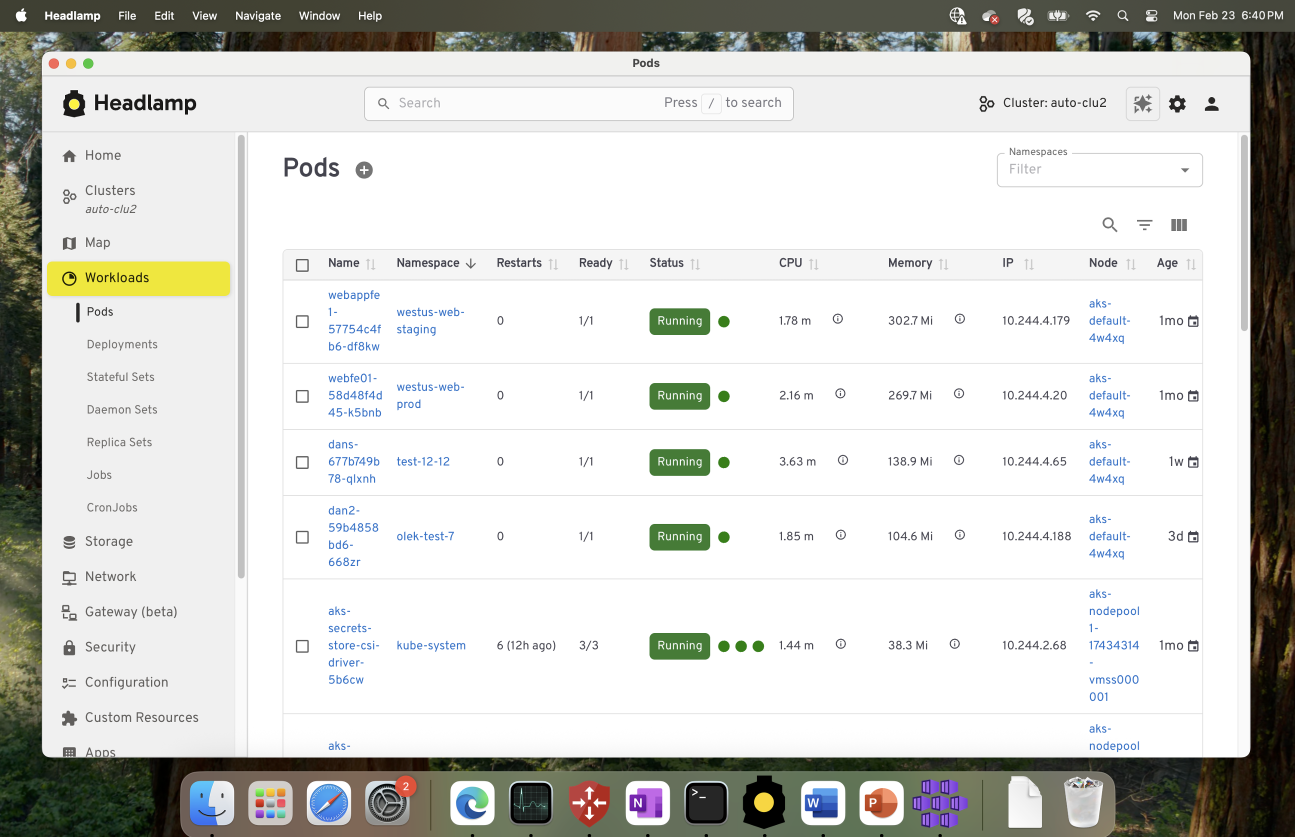
Kubernetes actually recommends a set of common labels. It's a standardized way to name things across your different workloads or projects. Following this convention makes your manifests cleaner, and it means that tools such as Headlamp, dashboard, or third-party monitoring systems can all automatically understand what's running.
Manipulate labels for debugging
Since controllers (like ReplicaSets or Deployments) use labels to manage Pods, you can remove a label to “detach” a Pod temporarily.
Example:
kubectl label pod mypod app-
The app- part removes the label key app.
Once that happens, the controller won’t manage that Pod anymore.
It’s like isolating it for inspection, a “quarantine mode” for debugging. To interactively remove or add labels, use kubectl label.
You can then check logs, exec into it and once done, delete it manually. That’s a super underrated trick every Kubernetes engineer should know.
Handy kubectl tips
These small tips make life much easier when you are working with multiple manifest files or clusters.
Apply entire directories
Instead of applying one file at a time, apply the whole folder:
# Using server-side apply is also a good practice
kubectl apply -f configs/ --server-side
This command looks for .yaml, .yml and .json files in that folder and applies them all together.
It's faster, cleaner and helps keep things grouped by app.
Use label selectors to get or delete resources
You don't always need to type out resource names one by one. Instead, use selectors to act on entire groups at once:
kubectl get pods -l app=myapp
kubectl delete pod -l phase=test
It's especially useful in CI/CD pipelines, where you want to clean up test resources dynamically.
Quickly create Deployments and Services
For quick experiments, you don't always need to write a manifest. You can spin up a Deployment right from the CLI:
kubectl create deployment webapp --image=nginx
Then expose it as a Service:
kubectl expose deployment webapp --port=80
This is great when you just want to test something before writing full manifests. Also, see Use a Service to Access an Application in a cluster for an example.
Conclusion
Cleaner configuration leads to calmer cluster administrators. If you stick to a few simple habits: keep configuration simple and minimal, version-control everything, use consistent labels, and avoid relying on naked Pods, you'll save yourself hours of debugging down the road.
The best part? Clean configurations stay readable. Even after months, you or anyone on your team can glance at them and know exactly what’s happening.
Is Your Android TV Streaming Box Part of a Botnet?
On the surface, the Superbox media streaming devices for sale at retailers like BestBuy and Walmart may seem like a steal: They offer unlimited access to more than 2,200 pay-per-view and streaming services like Netflix, ESPN and Hulu, all for a one-time fee of around $400. But security experts warn these TV boxes require intrusive software that forces the user’s network to relay Internet traffic for others, traffic that is often tied to cybercrime activity such as advertising fraud and account takeovers.

Superbox media streaming boxes for sale on Walmart.com.
Superbox bills itself as an affordable way for households to stream all of the television and movie content they could possibly want, without the hassle of monthly subscription fees — for a one-time payment of nearly $400.
“Tired of confusing cable bills and hidden fees?,” Superbox’s website asks in a recent blog post titled, “Cheap Cable TV for Low Income: Watch TV, No Monthly Bills.”
“Real cheap cable TV for low income solutions does exist,” the blog continues. “This guide breaks down the best alternatives to stop overpaying, from free over-the-air options to one-time purchase devices that eliminate monthly bills.”
Superbox claims that watching a stream of movies, TV shows, and sporting events won’t violate U.S. copyright law.
“SuperBox is just like any other Android TV box on the market, we can not control what software customers will use,” the company’s website maintains. “And you won’t encounter a law issue unless uploading, downloading, or broadcasting content to a large group.”

A blog post from the Superbox website.
There is nothing illegal about the sale or use of the Superbox itself, which can be used strictly as a way to stream content at providers where users already have a paid subscription. But that is not why people are shelling out $400 for these machines. The only way to watch those 2,200+ channels for free with a Superbox is to install several apps made for the device that enable them to stream this content.
Superbox’s homepage includes a prominent message stating the company does “not sell access to or preinstall any apps that bypass paywalls or provide access to unauthorized content.” The company explains that they merely provide the hardware, while customers choose which apps to install.
“We only sell the hardware device,” the notice states. “Customers must use official apps and licensed services; unauthorized use may violate copyright law.”
Superbox is technically correct here, except for maybe the part about how customers must use official apps and licensed services: Before the Superbox can stream those thousands of channels, users must configure the device to update itself, and the first step involves ripping out Google’s official Play store and replacing it with something called the “App Store” or “Blue TV Store.”
Superbox does this because the device does not use the official Google-certified Android TV system, and its apps will not load otherwise. Only after the Google Play store has been supplanted by this unofficial App Store do the various movie and video streaming apps that are built specifically for the Superbox appear available for download (again, outside of Google’s app ecosystem).
Experts say while these Android streaming boxes generally do what they advertise — enabling buyers to stream video content that would normally require a paid subscription — the apps that enable the streaming also ensnare the user’s Internet connection in a distributed residential proxy network that uses the devices to relay traffic from others.
Ashley is a senior solutions engineer at Censys, a cyber intelligence company that indexes Internet-connected devices, services and hosts. Ashley requested that only her first name be used in this story.
In a recent video interview, Ashley showed off several Superbox models that Censys was studying in the malware lab — including one purchased off the shelf at BestBuy.
“I’m sure a lot of people are thinking, ‘Hey, how bad could it be if it’s for sale at the big box stores?'” she said. “But the more I looked, things got weirder and weirder.”
Ashley said she found the Superbox devices immediately contacted a server at the Chinese instant messaging service Tencent QQ, as well as a residential proxy service called Grass IO.
GET GRASSED
Also known as getgrass[.]io, Grass says it is “a decentralized network that allows users to earn rewards by sharing their unused Internet bandwidth with AI labs and other companies.”
“Buyers seek unused internet bandwidth to access a more diverse range of IP addresses, which enables them to see certain websites from a retail perspective,” the Grass website explains. “By utilizing your unused internet bandwidth, they can conduct market research, or perform tasks like web scraping to train AI.” 
Reached via Twitter/X, Grass founder Andrej Radonjic told KrebsOnSecurity he’d never heard of a Superbox, and that Grass has no affiliation with the device maker.
“It looks like these boxes are distributing an unethical proxy network which people are using to try to take advantage of Grass,” Radonjic said. “The point of grass is to be an opt-in network. You download the grass app to monetize your unused bandwidth. There are tons of sketchy SDKs out there that hijack people’s bandwidth to help webscraping companies.”
Radonjic said Grass has implemented “a robust system to identify network abusers,” and that if it discovers anyone trying to misuse or circumvent its terms of service, the company takes steps to stop it and prevent those users from earning points or rewards.
Superbox’s parent company, Super Media Technology Company Ltd., lists its street address as a UPS store in Fountain Valley, Calif. The company did not respond to multiple inquiries.
According to this teardown by behindmlm.com, a blog that covers multi-level marketing (MLM) schemes, Grass’s compensation plan is built around “grass points,” which are earned through the use of the Grass app and through app usage by recruited affiliates. Affiliates can earn 5,000 grass points for clocking 100 hours usage of Grass’s app, but they must progress through ten affiliate tiers or ranks before they can redeem their grass points (presumably for some type of cryptocurrency). The 10th or “Titan” tier requires affiliates to accumulate a whopping 50 million grass points, or recruit at least 221 more affiliates.
Radonjic said Grass’s system has changed in recent months, and confirmed the company has a referral program where users can earn Grass Uptime Points by contributing their own bandwidth and/or by inviting other users to participate.
“Users are not required to participate in the referral program to earn Grass Uptime Points or to receive Grass Tokens,” Radonjic said. “Grass is in the process of phasing out the referral program and has introduced an updated Grass Points model.”
A review of the Terms and Conditions page for getgrass[.]io at the Wayback Machine shows Grass’s parent company has changed names at least five times in the course of its two-year existence. Searching the Wayback Machine on getgrass[.]io shows that in June 2023 Grass was owned by a company called Wynd Network. By March 2024, the owner was listed as Lower Tribeca Corp. in the Bahamas. By August 2024, Grass was controlled by a Half Space Labs Limited, and in November 2024 the company was owned by Grass OpCo (BVI) Ltd. Currently, the Grass website says its parent is just Grass OpCo Ltd (no BVI in the name).
Radonjic acknowledged that Grass has undergone “a handful of corporate clean-ups over the last couple of years,” but described them as administrative changes that had no operational impact. “These reflect normal early-stage restructuring as the project moved from initial development…into the current structure under the Grass Foundation,” he said.
UNBOXING
Censys’s Ashley said the phone home to China’s Tencent QQ instant messaging service was the first red flag with the Superbox devices she examined. She also discovered the streaming boxes included powerful network analysis and remote access tools, such as Tcpdump and Netcat.
“This thing DNS hijacked my router, did ARP poisoning to the point where things fall off the network so they can assume that IP, and attempted to bypass controls,” she said. “I have root on all of them now, and they actually have a folder called ‘secondstage.’ These devices also have Netcat and Tcpdump on them, and yet they are supposed to be streaming devices.”
A quick online search shows various Superbox models and many similar Android streaming devices for sale at a wide range of top retail destinations, including Amazon, BestBuy, Newegg, and Walmart. Newegg.com, for example, currently lists more than three dozen Superbox models. In all cases, the products are sold by third-party merchants on these platforms, but in many instances the fulfillment comes from the e-commerce platform itself.
“Newegg is pretty bad now with these devices,” Ashley said. “Ebay is the funniest, because they have Superbox in Spanish — the SuperCaja — which is very popular.”

Superbox devices for sale via Newegg.com.
Ashley said Amazon recently cracked down on Android streaming devices branded as Superbox, but that those listings can still be found under the more generic title “modem and router combo” (which may be slightly closer to the truth about the device’s behavior).
Superbox doesn’t advertise its products in the conventional sense. Rather, it seems to rely on lesser-known influencers on places like Youtube and TikTok to promote the devices. Meanwhile, Ashley said, Superbox pays those influencers 50 percent of the value of each device they sell.
“It’s weird to me because influencer marketing usually caps compensation at 15 percent, and it means they don’t care about the money,” she said. “This is about building their network.”

A TikTok influencer casually mentions and promotes Superbox while chatting with her followers over a glass of wine.
BADBOX
As plentiful as the Superbox is on e-commerce sites, it is just one brand in an ocean of no-name Android-based TV boxes available to consumers. While these devices generally do provide buyers with “free” streaming content, they also tend to include factory-installed malware or require the installation of third-party apps that engage the user’s Internet address in advertising fraud.
In July 2025, Google filed a “John Doe” lawsuit (PDF) against 25 unidentified defendants dubbed the “BadBox 2.0 Enterprise,” which Google described as a botnet of over ten million Android streaming devices that engaged in advertising fraud. Google said the BADBOX 2.0 botnet, in addition to compromising multiple types of devices prior to purchase, can also infect devices by requiring the download of malicious apps from unofficial marketplaces.

Some of the unofficial Android devices flagged by Google as part of the Badbox 2.0 botnet are still widely for sale at major e-commerce vendors. Image: Google.
Several of the Android streaming devices flagged in Google’s lawsuit are still for sale on top U.S. retail sites. For example, searching for the “X88Pro 10” and the “T95” Android streaming boxes finds both continue to be peddled by Amazon sellers.
Google’s lawsuit came on the heels of a June 2025 advisory from the Federal Bureau of Investigation (FBI), which warned that cyber criminals were gaining unauthorized access to home networks by either configuring the products with malicious software prior to the user’s purchase, or infecting the device as it downloads required applications that contain backdoors, usually during the set-up process.
“Once these compromised IoT devices are connected to home networks, the infected devices are susceptible to becoming part of the BADBOX 2.0 botnet and residential proxy services known to be used for malicious activity,” the FBI said.
The FBI said BADBOX 2.0 was discovered after the original BADBOX campaign was disrupted in 2024. The original BADBOX was identified in 2023, and primarily consisted of Android operating system devices that were compromised with backdoor malware prior to purchase.
Riley Kilmer is founder of Spur, a company that tracks residential proxy networks. Kilmer said Badbox 2.0 was used as a distribution platform for IPidea, a China-based entity that is now the world’s largest residential proxy network.
Kilmer and others say IPidea is merely a rebrand of 911S5 Proxy, a China-based proxy provider sanctioned last year by the U.S. Department of the Treasury for operating a botnet that helped criminals steal billions of dollars from financial institutions, credit card issuers, and federal lending programs (the U.S. Department of Justice also arrested the alleged owner of 911S5).
How are most IPidea customers using the proxy service? According to the proxy detection service Synthient, six of the top ten destinations for IPidea proxies involved traffic that has been linked to either ad fraud or credential stuffing (account takeover attempts).
Kilmer said companies like Grass are probably being truthful when they say that some of their customers are companies performing web scraping to train artificial intelligence efforts, because a great deal of content scraping which ultimately benefits AI companies is now leveraging these proxy networks to further obfuscate their aggressive data-slurping activity. By routing this unwelcome traffic through residential IP addresses, Kilmer said, content scraping firms can make it far trickier to filter out.
“Web crawling and scraping has always been a thing, but AI made it like a commodity, data that had to be collected,” Kilmer told KrebsOnSecurity. “Everybody wanted to monetize their own data pots, and how they monetize that is different across the board.”
SOME FRIENDLY ADVICE
Products like Superbox are drawing increased interest from consumers as more popular network television shows and sportscasts migrate to subscription streaming services, and as people begin to realize they’re spending as much or more on streaming services than they previously paid for cable or satellite TV.
These streaming devices from no-name technology vendors are another example of the maxim, “If something is free, you are the product,” meaning the company is making money by selling access to and/or information about its users and their data.
Superbox owners might counter, “Free? I paid $400 for that device!” But remember: Just because you paid a lot for something doesn’t mean you are done paying for it, or that somehow you are the only one who might be worse off from the transaction.
It may be that many Superbox customers don’t care if someone uses their Internet connection to tunnel traffic for ad fraud and account takeovers; for them, it beats paying for multiple streaming services each month. My guess, however, is that quite a few people who buy (or are gifted) these products have little understanding of the bargain they’re making when they plug them into an Internet router.
Superbox performs some serious linguistic gymnastics to claim its products don’t violate copyright laws, and that its customers alone are responsible for understanding and observing any local laws on the matter. However, buyer beware: If you’re a resident of the United States, you should know that using these devices for unauthorized streaming violates the Digital Millennium Copyright Act (DMCA), and can incur legal action, fines, and potential warnings and/or suspension of service by your Internet service provider.
According to the FBI, there are several signs to look for that may indicate a streaming device you own is malicious, including:
-The presence of suspicious marketplaces where apps are downloaded.
-Requiring Google Play Protect settings to be disabled.
-Generic TV streaming devices advertised as unlocked or capable of accessing free content.
-IoT devices advertised from unrecognizable brands.
-Android devices that are not Play Protect certified.
-Unexplained or suspicious Internet traffic.
This explainer from the Electronic Frontier Foundation delves a bit deeper into each of the potential symptoms listed above.
IACR Nullifies Election Because of Lost Decryption Key
The International Association of Cryptologic Research—the academic cryptography association that’s been putting conferences like Crypto (back when “crypto” meant “cryptography”) and Eurocrypt since the 1980s—had to nullify an online election when trustee Moti Yung lost his decryption key.
For this election and in accordance with the bylaws of the IACR, the three members of the IACR 2025 Election Committee acted as independent trustees, each holding a portion of the cryptographic key material required to jointly decrypt the results. This aspect of Helios’ design ensures that no two trustees could collude to determine the outcome of an election or the contents of individual votes on their own: all trustees must provide their decryption shares...
Friday Squid Blogging: New “Squid” Sneaker
I did not know Adidas sold a sneaker called “Squid.”
As usual, you can also use this squid post to talk about the security stories in the news that I haven’t covered.
More on Rewiring Democracy
It’s been a month since Rewiring Democracy: How AI Will Transform Our Politics, Government, and Citizenship was published. From what we know, sales are good.
Some of the book’s forty-three chapters are available online: chapters 2, 12, 28, 34, 38, and 41.
We need more reviews—six on Amazon is not enough, and no one has yet posted a viral TikTok review. One review was published in Nature and another on the RSA Conference website, but more would be better. If you’ve read the book, please leave a review somewhere.
My coauthor and I have been doing all sort of book events, both online and in person. This ...
AI as Cyberattacker
From Anthropic:
In mid-September 2025, we detected suspicious activity that later investigation determined to be a highly sophisticated espionage campaign. The attackers used AI’s “agentic” capabilities to an unprecedented degree—using AI not just as an advisor, but to execute the cyberattacks themselves.
The threat actor—whom we assess with high confidence was a Chinese state-sponsored group—manipulated our Claude Code tool into attempting infiltration into roughly thirty global targets and succeeded in a small number of cases. The operation targeted large tech companies, financial institutions, chemical manufacturing companies, and government agencies. We believe this is the first documented case of a large-scale cyberattack executed without substantial human intervention...